
Semper Hub
All your care compliance in one place.
Here is what is in it, in the order your office works.
Recruitment
From first enquiry to first shift.
Application forms, interviews with scoring, references, identity and right to work, DBS records and onboarding documents. Each step has to be done before the next one opens.
- Application formSent and returned online. Gaps in employment have to be explained, and referees need professional email addresses.
- InterviewScored, with the decision recorded.
- ReferencesSent out and chased up automatically, until every one is back.
- ID and right to workChecked and saved to the file.
- DBSRecorded from your DBS provider.
- Onboarding documentsSent out automatically. Once signed, they go straight to the staff file.
- First shiftOnly once every step before it is done.
- And thenFirst supervision, spot check and probation, booked in.
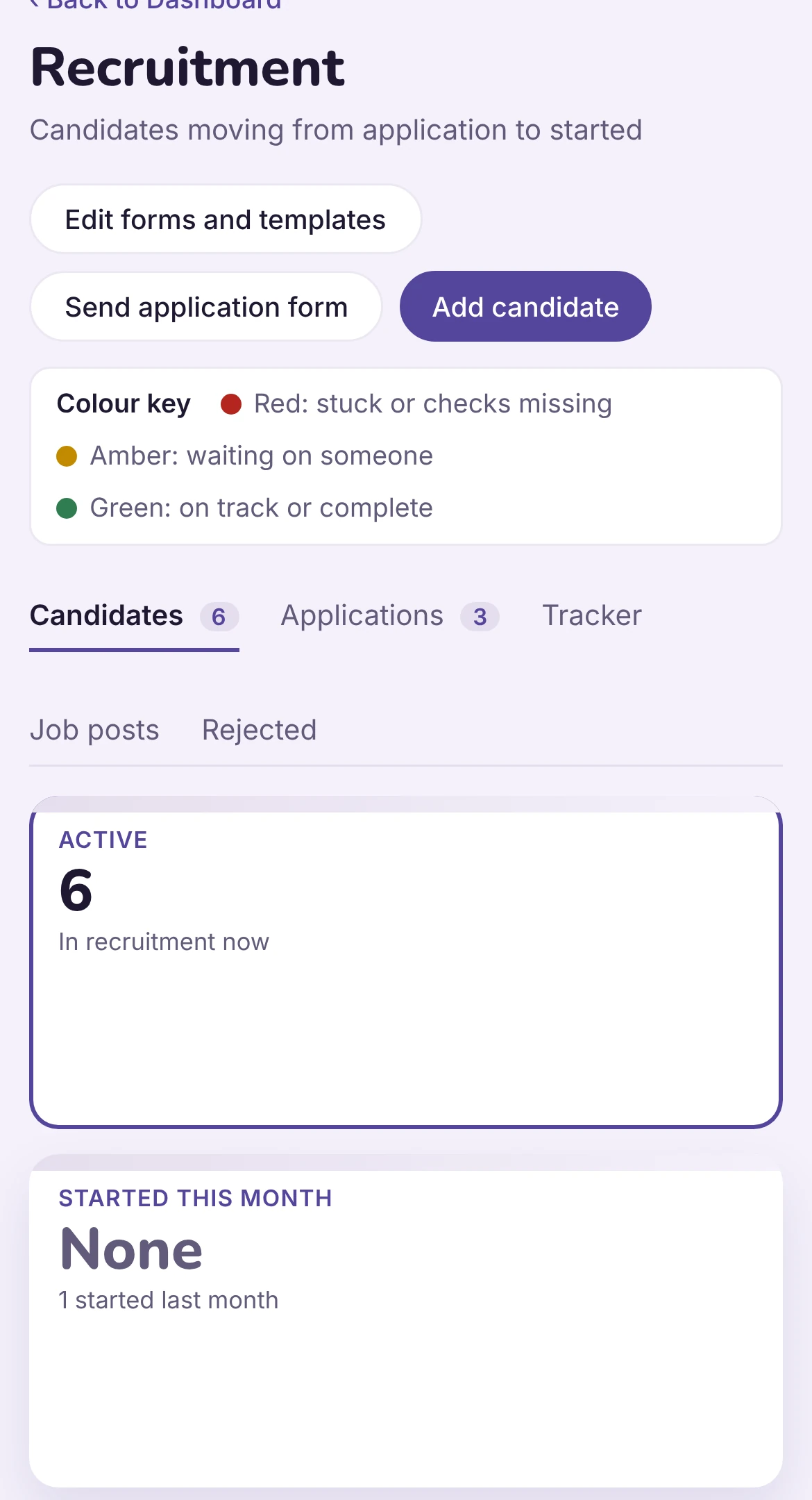
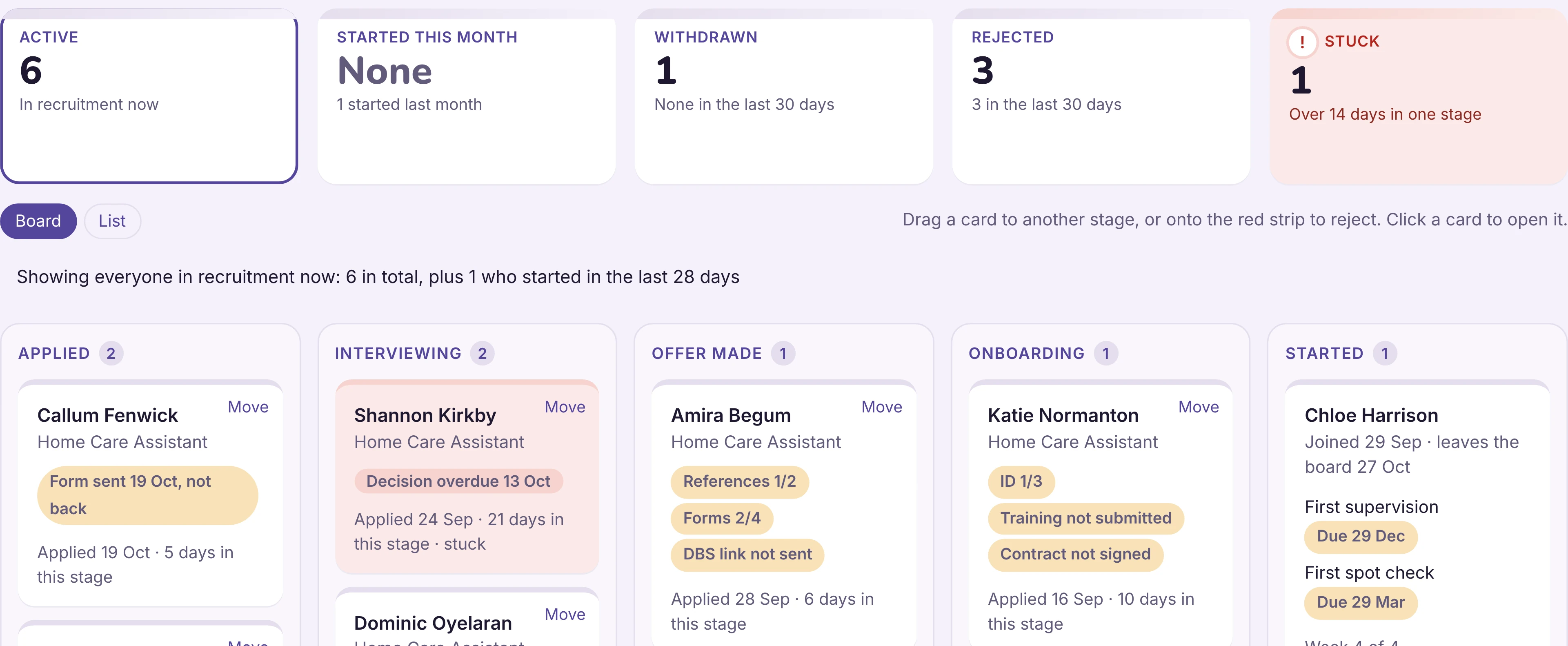
DBS applications are made through your own DBS provider. Semper Hub records them, with the rest of the file.
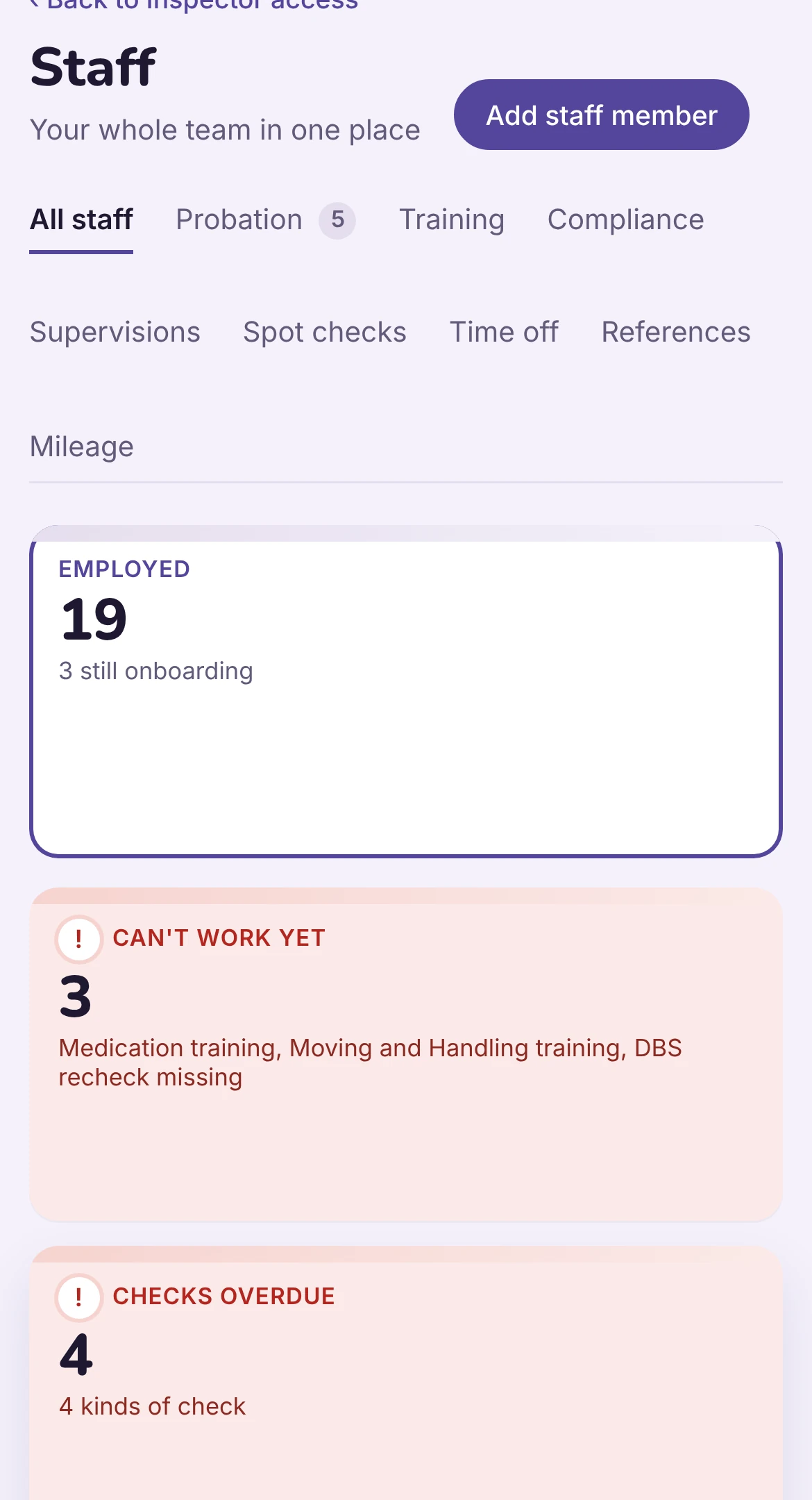
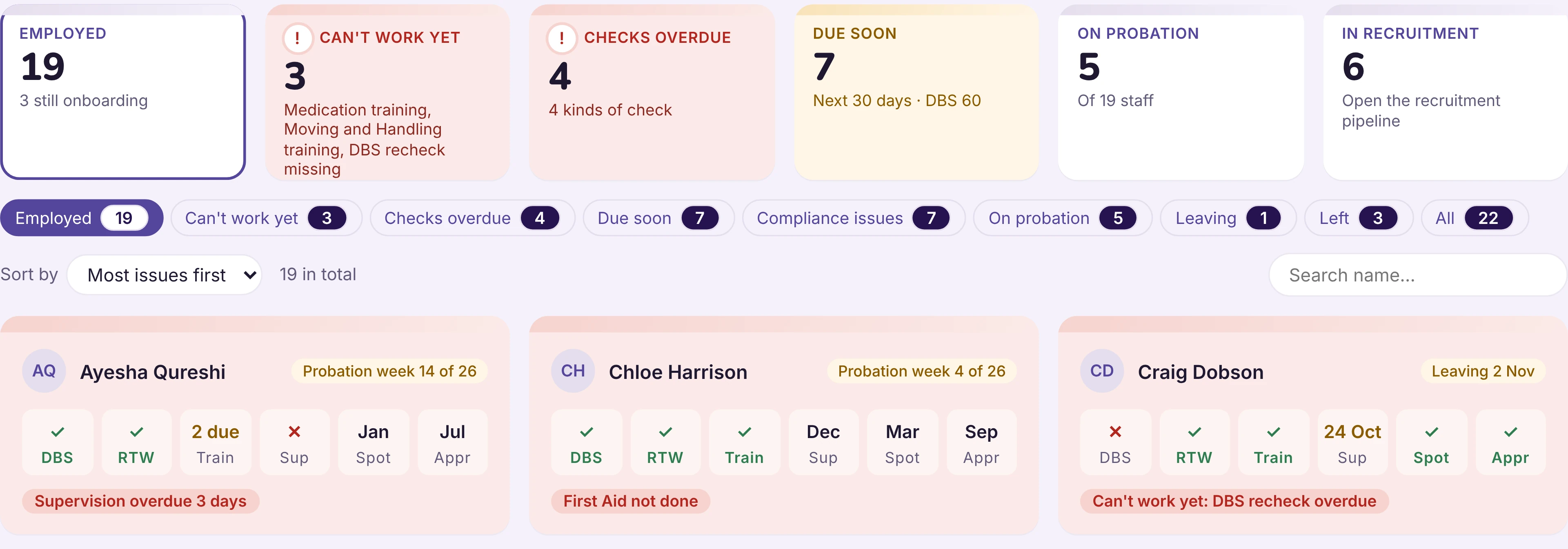
Your people
A file for every member of staff, always up to date.
Documents with expiry dates, a training matrix, supervisions, appraisals, spot checks, probation, time off, on-call and mileage claims.
Your clients
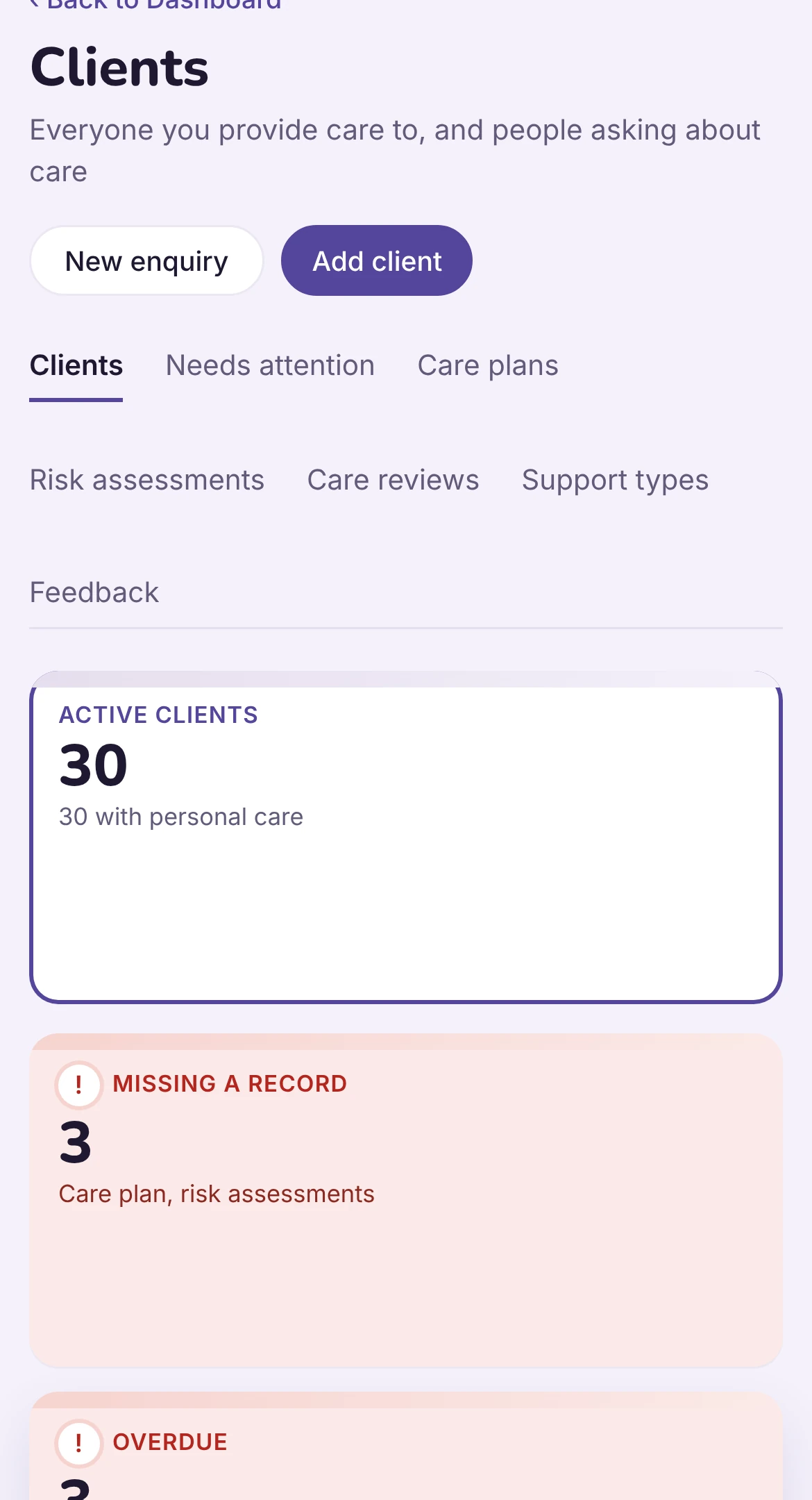
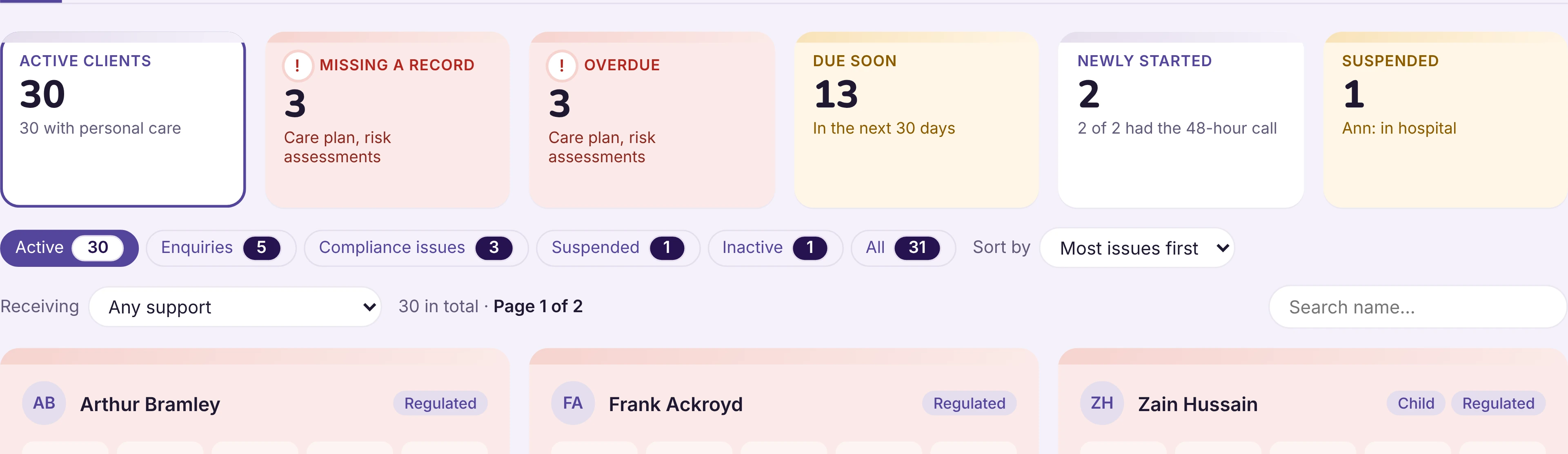
Everything about a client, in one file.
Enquiries, assessment, care plan, risk assessments, reviews, consent, hospital stays, notes and calls, all linked to the same person. Weekly audits of MAR charts and daily notes sit in the same file.
Every day
What your office did today, without asking.
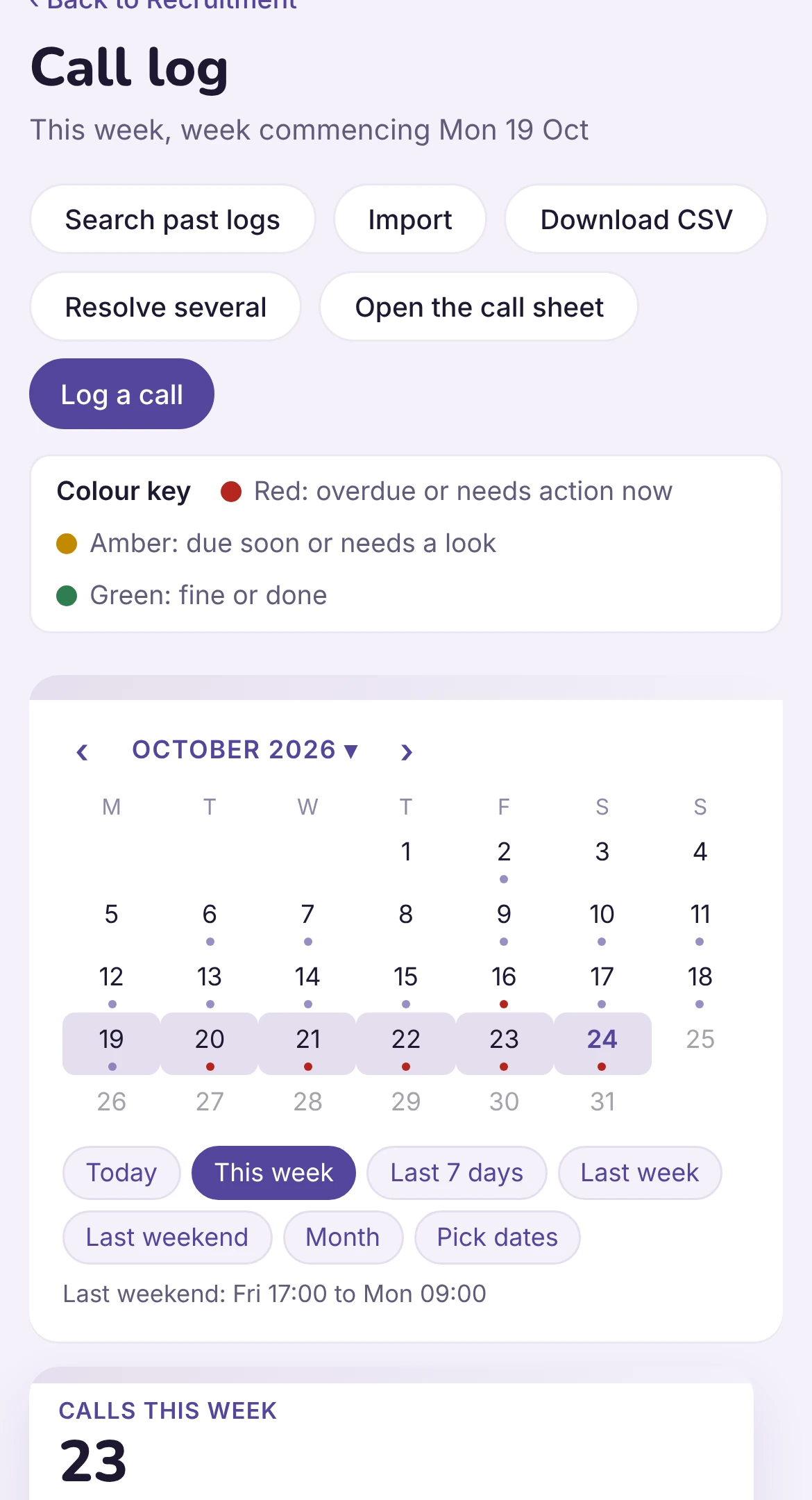
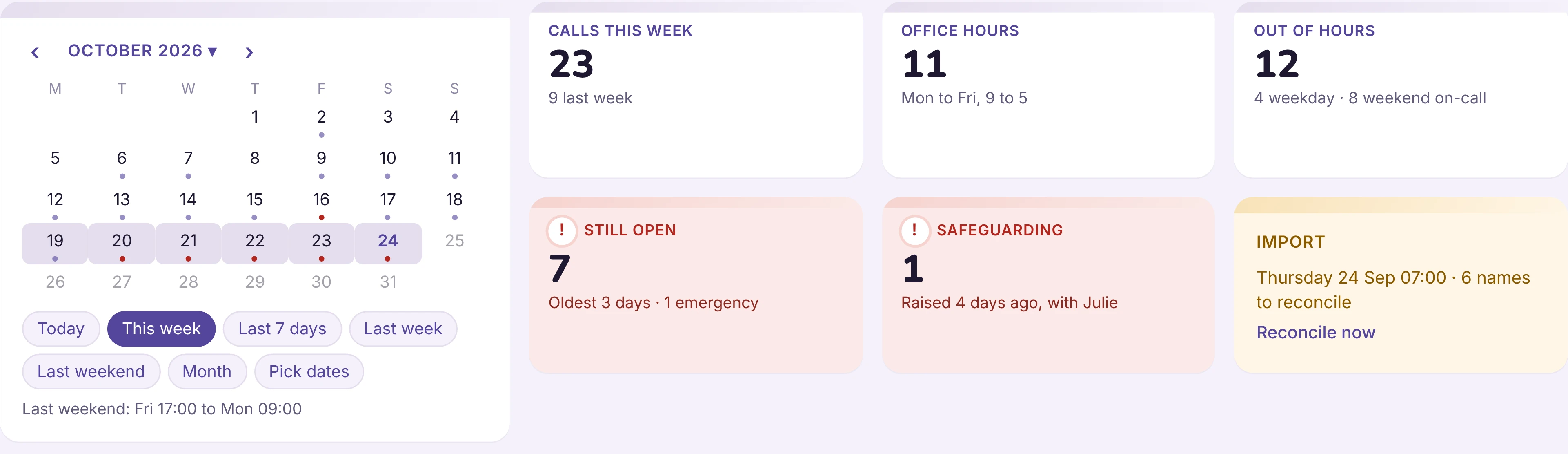
A call is logged once. It shows on the client, the staff member, the daily log and the task list. A morning brief shows what needs you now.
Quality
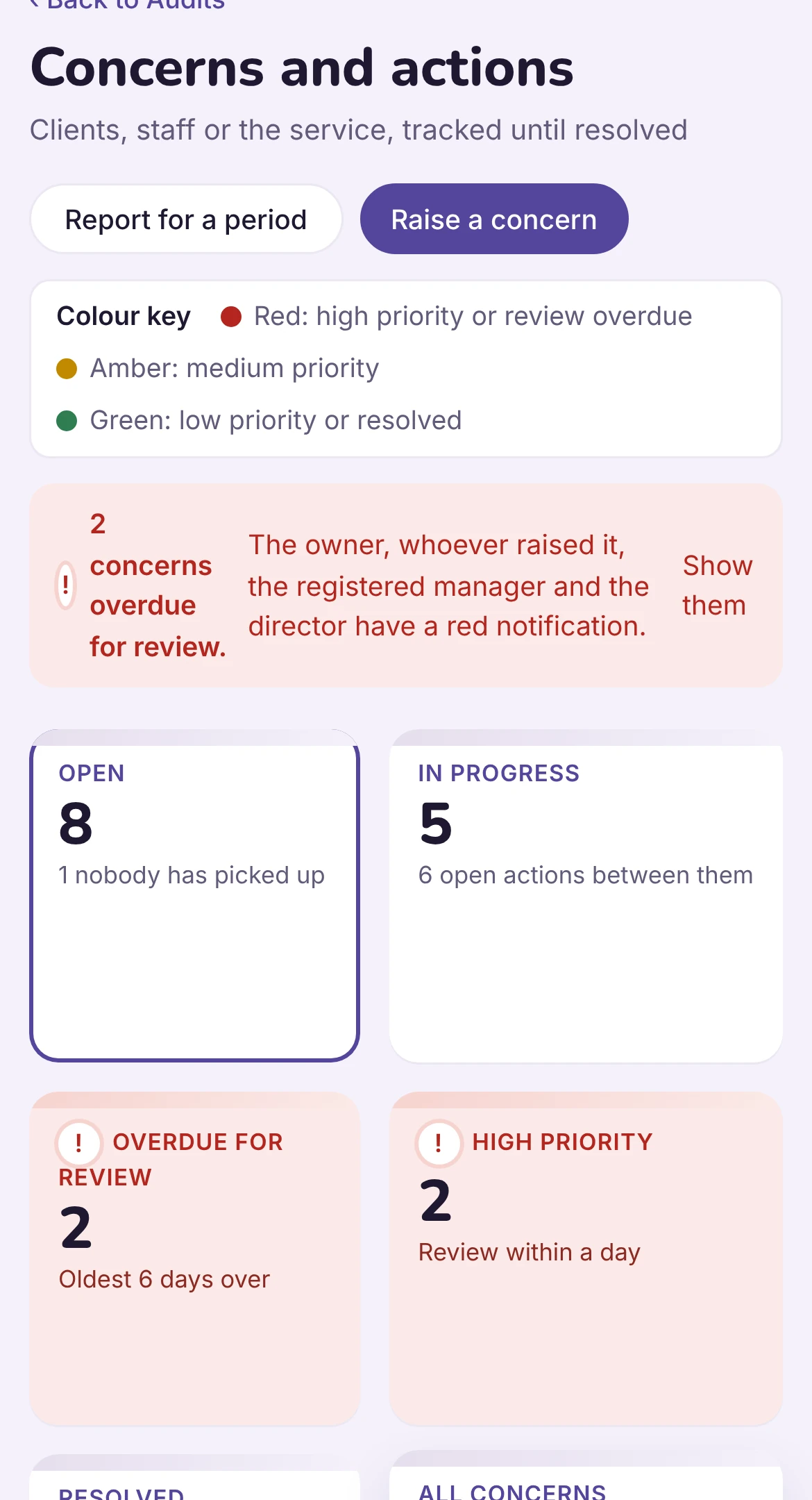
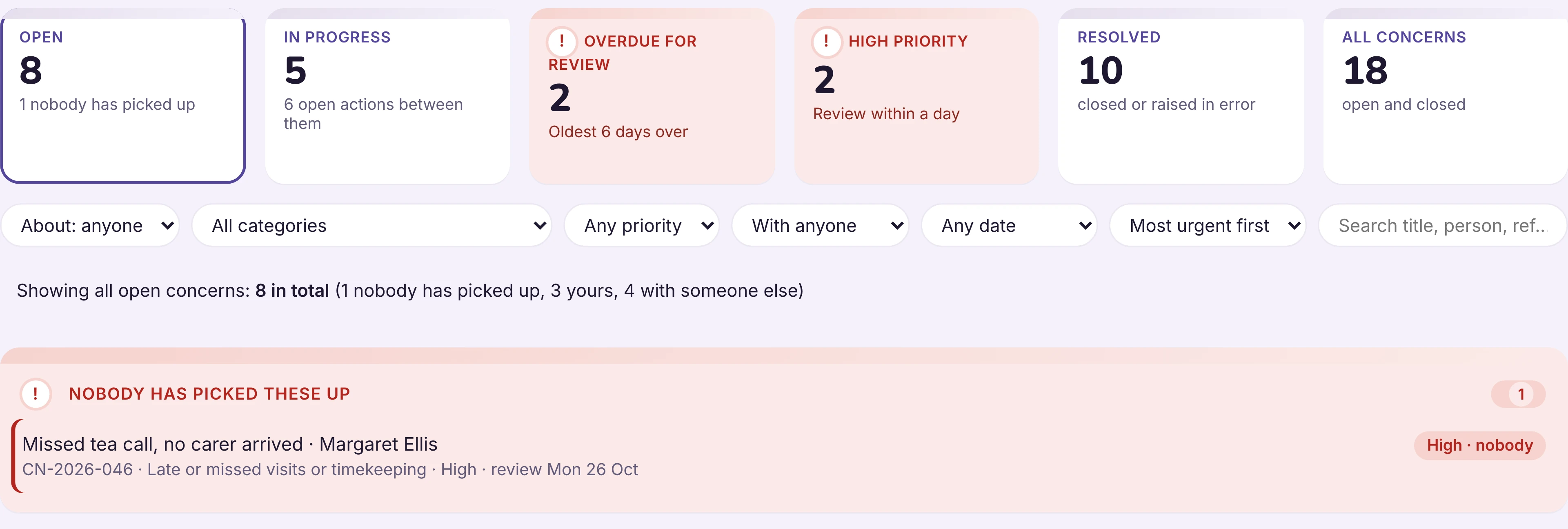
Concerns, incidents and safeguarding, from first report to closure.
Linked to the client and the staff involved, with actions, owners and deadlines. Duty of candour and notifications are tracked in the same place.
Audits and governance
The report builds from the records.
Weekly audits, readiness against the five CQC key questions, mock inspections and self-assessments, trends and lessons, and the monthly governance report.
None.6
Office time on the weekly governance report, from about 10 hours.
Built around the CQC framework. Readiness from the records is capped at Good, because only a person can judge Outstanding.
Inspector access
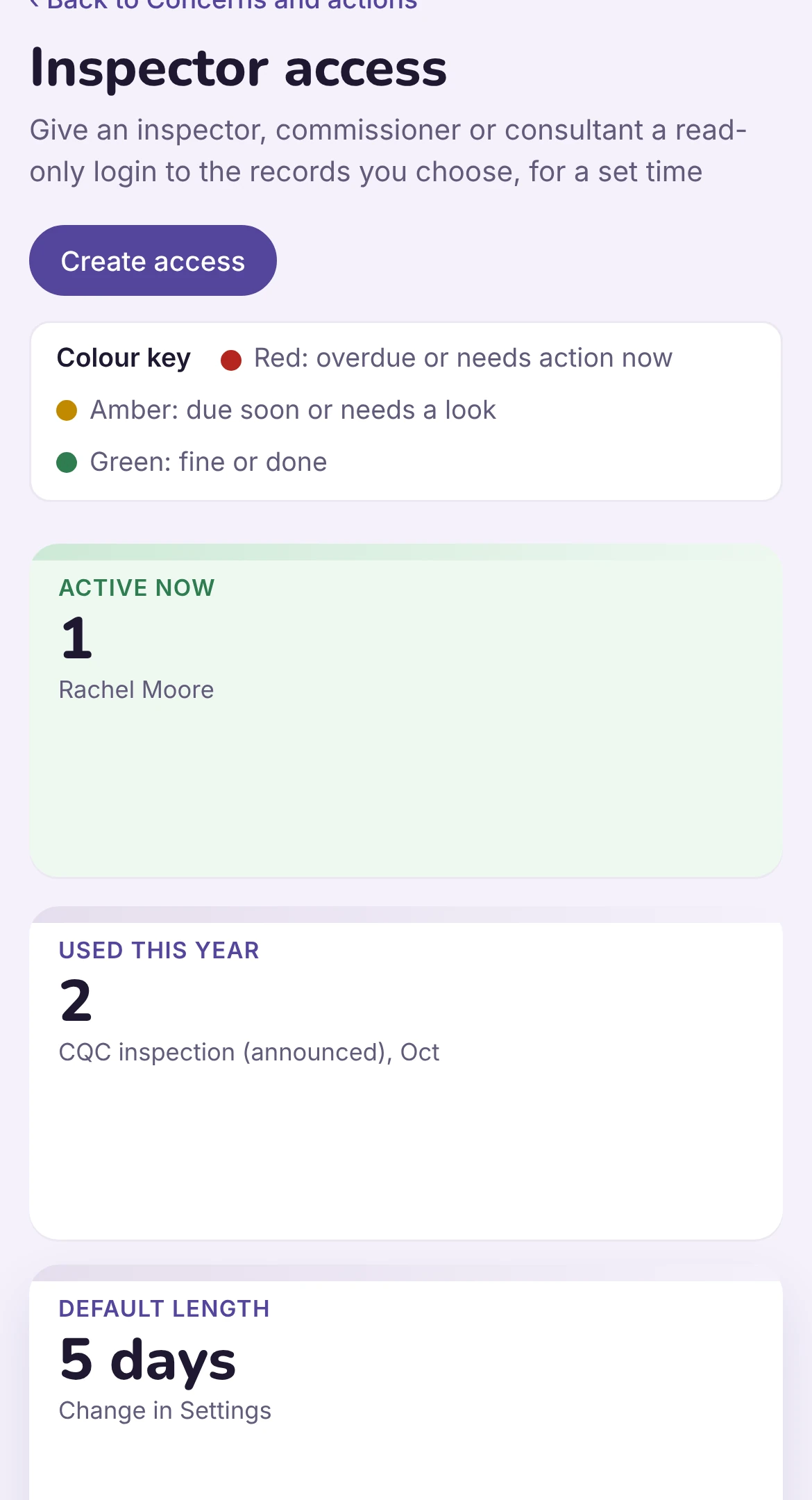
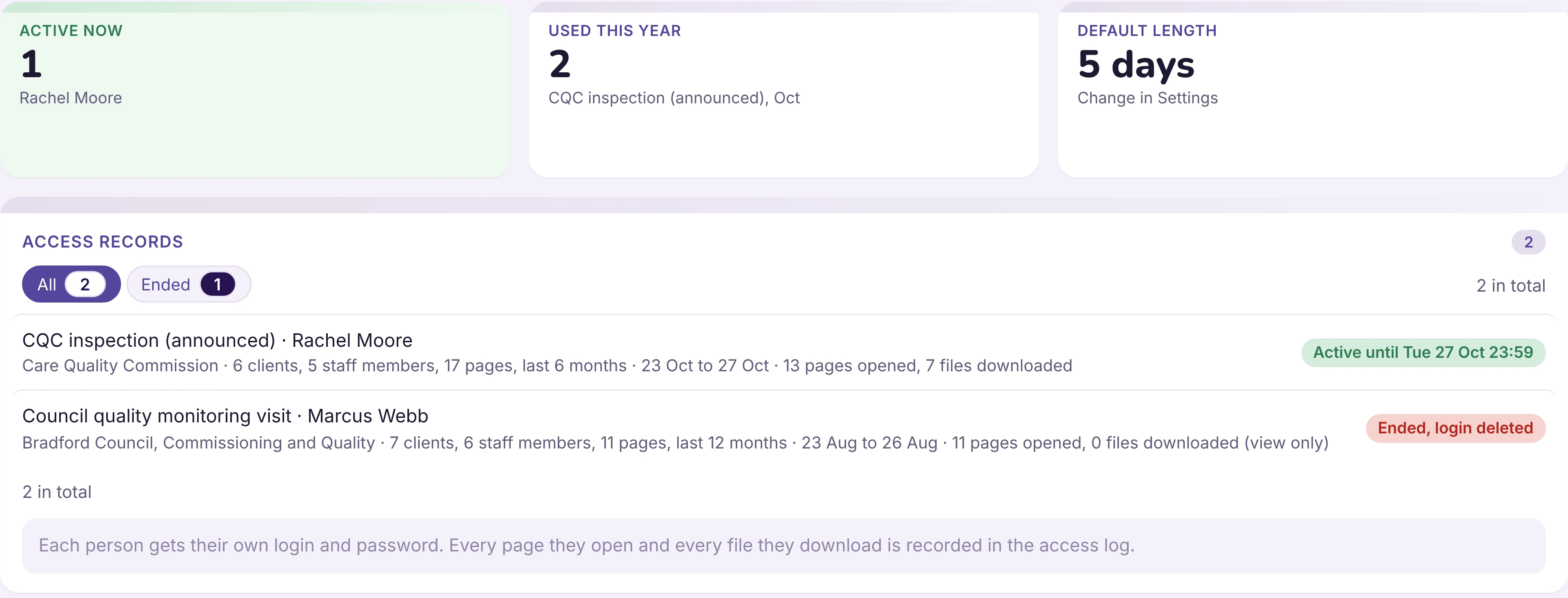
Give an inspector what they need, and nothing more.
A time-limited login with a six-digit code. You choose how far back they can see, and you can widen it if they ask.
Insight
Hub does the work. Insight reads it.
Insight reads a client's whole file, from the assessment and care plan to the risk assessments, care reviews and weekly notes, and shows you where they do not join up. In a fraction of the time it would take a person.
- 1Assessment
- 2Care plan
- 3Risk assessments
- 4Care reviews
- 5Weekly notes
Mrs Hargreaves, full file check
4 checks · 1 to act on now
Care plan does not match the visits
Weekly notes show two carers at 9 of 14 visits. The care plan says one. Arrange a care review, or amend the care plan to match what carers are now doing.
Missing risk assessment
The assessment mentions two falls this year. There is no falls risk assessment on file.
Review due
The care plan was last reviewed seven months ago, and the needs in the notes have changed since.
Joined up
Medication in the care plan matches the assessment and this week's MAR chart.
Nothing is sent until a person has reviewed it. Every draft stays marked "Insight draft, not yet reviewed" until someone keeps or edits it.
From £79 a month, with a weekly allowance of Insight checks. Everything else in Semper Hub is not counted.
Policies
Your policies, in the same place.
Versions and review dates sit with the rest of your records. The policy library, filled from your company details and checked weekly against changes in law and guidance, is coming soon.
Seen enough?
Book a 45-minute walkthrough, with time for your questions. We will show you Semper Hub on a care company with invented data.